
Prim Finder
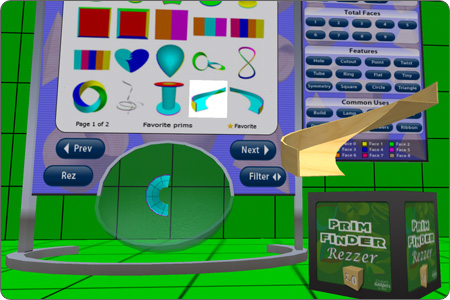
This tool is a browsable library of 400 standard primitive shapes. The prims are editable, transferable and copyable (i.e. no restrictions) and you are free to use them in your own projects and products without limitation, so long as you do not repackage/redistribute the whole prim collection.
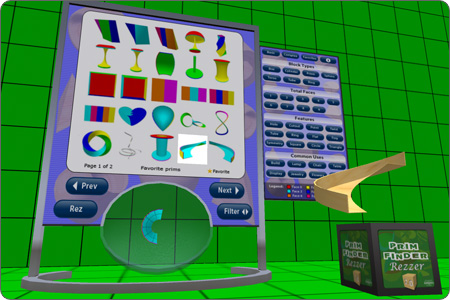
It comes with a companion tool called Rezzer which does the job of actually rezzing the prims. Simply place it near the Prim Finder before you press the “Rez” button.
If anyone prezzes the “Rez” button but they do not have their Rezzer they’ll automatically receive one. This setup makes Prim Finder ideal for sharing with friends/visitors and allows everyone to create prims using the same Prim Finder.
Features
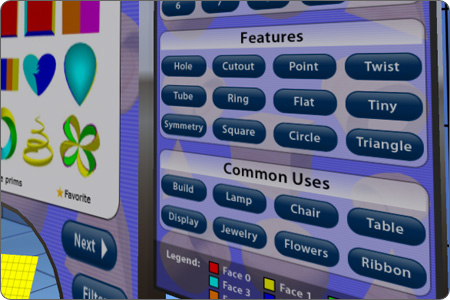
- Browse a library of 400 standard primitive shapes organized in 38 categories.
- Ultra low lag/prim display board. Just 2 scripts and 13 prims.
- Rez any prim with no restrictions. They’re editable, copyable and transferable.
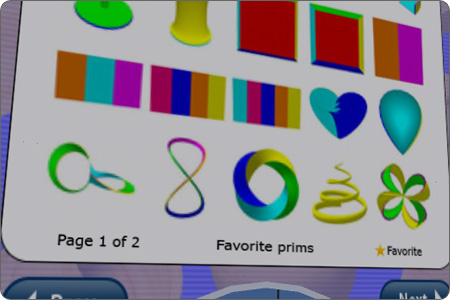
- Favorites option for prims you use often.
- Shows currently selected page and filter on the display. Silent operation with no unsightly hovertext.
- Double click a filter to apply accumulatively.
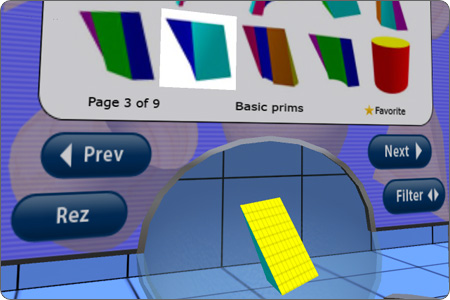
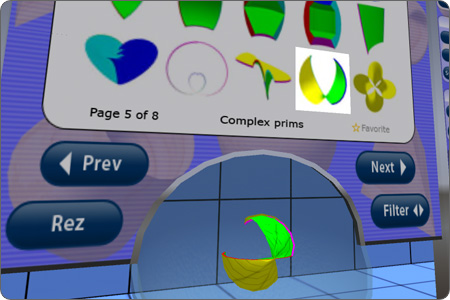
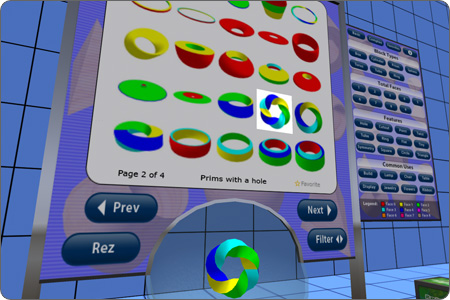
- Rotating demo of selected shape. Click it to start/stop rotation.
- Double click the demo prim to show/hide the grid.
- Click the glass around the demo prim to rotate it in that direction.
- Double click the page buttons to go to first/last page.
- When Prim Finder is rezzed it automatically rotates to face owner.
- Share Prim Finder with others. It automatically gives them a Rezzer if they don’t have one.
- A great building and learning aid.
Rezzer: - Automatically detects and adjusts appearance when rezzed, worn as a HUD or worn on body.
- If worn it’ll rez prims in front of your camera. It protects against rezzing under the ground.
- Can be customized to create prims which show yourself as the creator.
- Can rez prims which include custom/third-party building scripts.
- If third party scripts are detected, the faces will be left untouched (no colours/grid) to avoid conflicts.
- Multiple Rezzers can be used at the same time. Each is locked to the owner to avoid misuse.
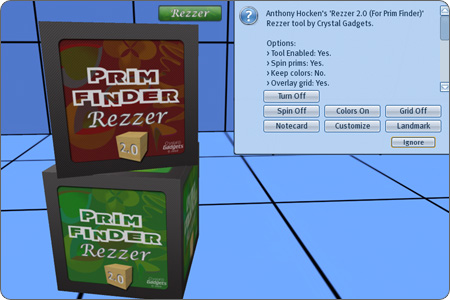
- Can now be turned on/off. Ideal if you use more than one Rezzer with varying customizations.
- If you double click the “Rez” button on the Prim Finder the coloured faces will be preserved.
- Menu option to keep the coloured faces/grid by default. Ideal if used for learning.
- Menu option to enable/disable the overlaid grid.
Getting Started
- Step 1: Drag “Prim Finder” from your inventory to the ground.
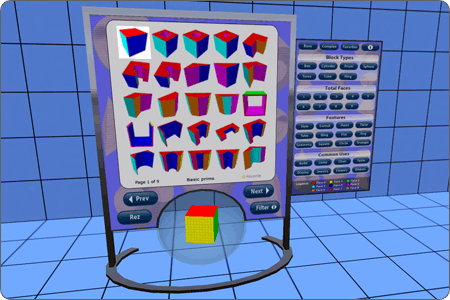
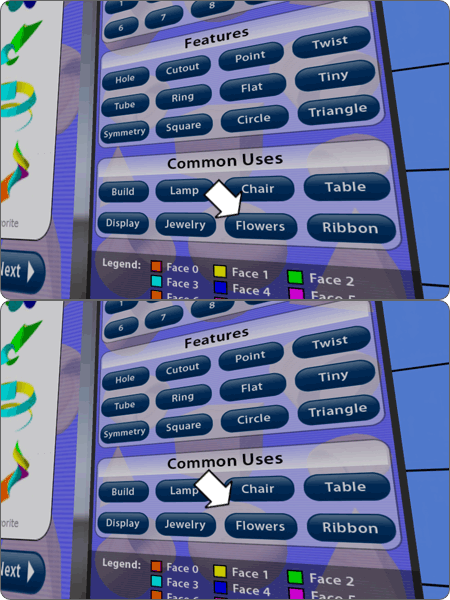
- Step 2: Click one of the filter options to narrow down your search. In this example we’ve filtered by flower related prim shapes.
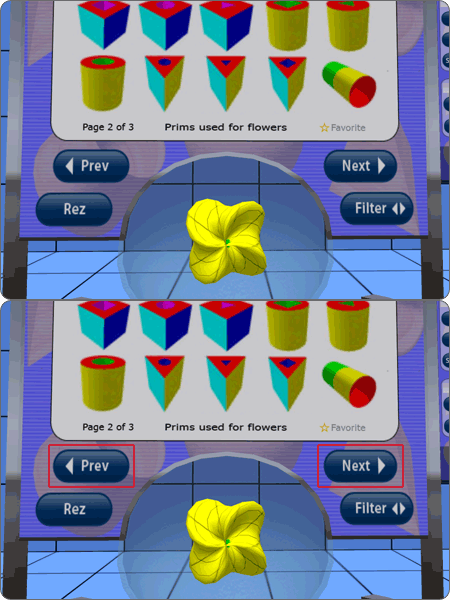
- Step 3: Click “Prev” and “Next” to view each page of shapes.
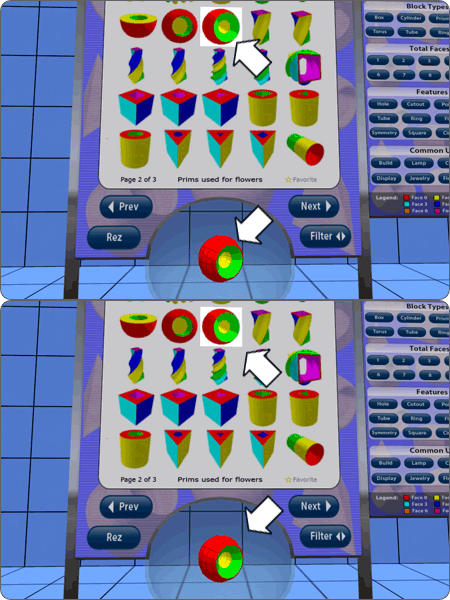
- Step 4: Click a shape to see a live rotating demo. You can also click the glass surrounding the prim to rotate it in that direction.
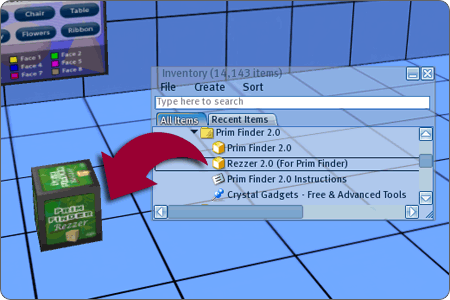
- Step 5: Drag “Rezzer 2.0” from your inventory to the ground. Place it near the Prim Finder (anywhere within 20 meters).
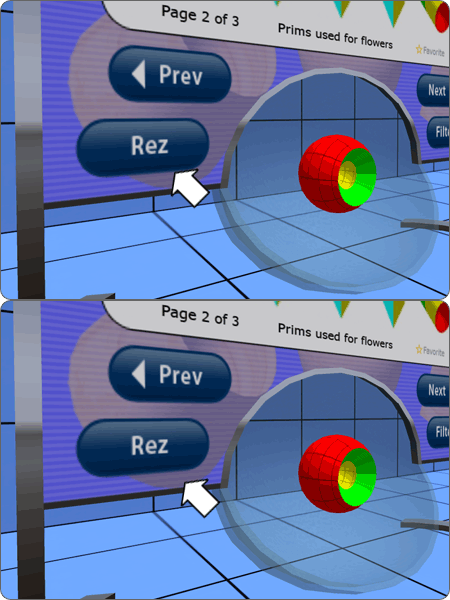
- Step 6: Click the “Rez” button on the Prim Finder.
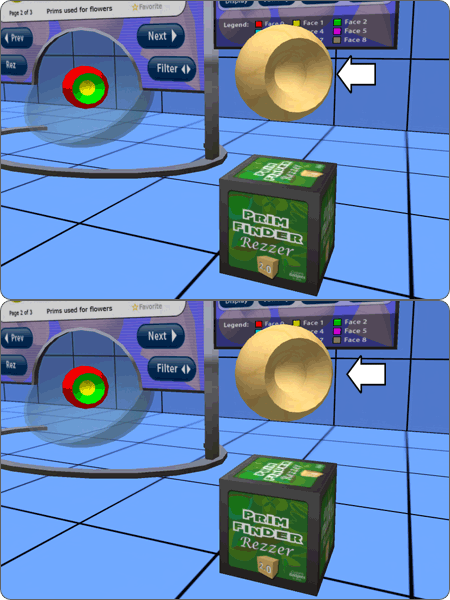
- Step 7: Observe that the currently selected prim has been created above your Rezzer. Or if you’re wearing the Rezzer it will be created in front of your camera instead.
Happy building!
Customization (optional)
By default all prims show “Vim Sims” as the creator. For vanity purposes you can change this to show your own name instead. It doesn’t affect what you can do with the prims – either way they’re editable, copyable and transferable. Here’s the customization instructions.
Photos
Frequently Asked Questions
- Why do created prims have Vim Sims as creator instead of myself?
- This is default behaviour. It will not prevent you from doing whatever you like with the prims but if you prefer to have your own name shown as Creator then click your Rezzer and select “Customize”. It will prompt you what to do.
Note: The default creator is because of technical limitations/security in Second Life and was not done by design. - There is a Rezzer by the Prim Finder, but it will not rez anything.
- You can only use a Rezzer if it belongs to you. This also means you can leave your Rezzer on the ground without worrying about someone else coming along and using it. If there are several Rezzer boxes near a Prim Finder, only the Rezzer owned by the avatar who clicked the Rez button will be used and the other Rezzer boxes will be ignored.
- Ensure that land permissions allow the scripts to run. Maybe you need to set the Rezzer to the correct group first. Simply wear the correct group tag before rezzing your Rezzer object if this is the case.
- Can I share Prim Finder with other users?
- Yes, anyone can use the Prim Finder. If someone clicks the “Rez” button and a Rezzer (which belongs to them) is not detected then they’ll automatically receive a new Rezzer. Obviously they’ll need build permissions on the parcel in order to use it.
- Can my whole team rez prims with the same Creator?
- Yes. Simply customize the Rezzer once (click the Rezzer and select “Customize to do this), then give a copy of that Rezzer to each avatar. Just ensure that the source prim you use has full permissions otherwise you’ll be restricting what each avatar can do with the prims they rez.
Alternatively, distribute the same prim to each avatar and have them use that prim when customizing their Rezzer – though this method is less preferred because 1) duplicated effort, and 2) the Rezzer will automatically use the generic name “Rezzer (Customized)” rather than ‘Rezzer ([Avatar Name])” – but you can rename this manually afterwards.
- I have another Second Life account (an “alt”). Can I always ensure rezzed prims show the same Creator regardless which account I’m using at the time?
- Yes. See the answer to the previous question. It’s essentially the same situation.
- Can I give a Prim Finder as a gift?
- Yes, we have a gift option.
- The Prim Finder and/or Rezzer box appear dim, why is that?
- Try switching to noon time. The menu option is World > Force Sun > Noon.
- Ensure the following menu option is NOT ticked: View > Beacons Always On.
- I have ideas for making Prim Finder even better.
- Great! Please leave your ideas in the Suggestion Box which you’ll find in the store.
- I didn’t receive my Prim Finder!
- Not a problem. Just ask me for another copy.
- I’ve lost my Prim Finder!
- If you have the copyable version (i.e. version 1.2 or higher) just ask me for another copy. Or try the “Upgrade” button on the vendor at Crystal Gadgets.
- Can I deed the Prim Finder to a group?
- Yes you can. Though you will lose the ability to edit favorites. If you want to set up some favorites please do that before deeding the object. Note that you should not deed the Rezzer – each user must own their own.
History
- Version 2.0
- Rebuilt and rescripted from the ground up. It now uses just 2 scripts and 13 prims.
- Added approximately 180 new prim shapes.
- Added 10 new filters and updated previous filters (categories).
- The prims for each filter have been visually ordered so similar shapes are next to each other.
- Now operates silently. The current page and filter is shown graphically.
- The whole grid of shapes, filter panel and info bar now account for just 7 prims combined.
- Prim Finder now auto-rotates to face your avatar when rezzed, snapped to the nearest 90 degrees.
- New favorites option to set and view the prims you like best.
- A more flexible data format for shape data is now used.
- Double click support for filters. Applies them accumulatively to help you narrow down your search.
- Double click for page buttons. Takes you to first/last page.
- Double click support for the “Rez” button. Prims will keep the colours/grid after being rezzed.
- All the graphics have been replaced/revamped.
- Demo prim now has an overlaid grid. This can be turned on/off by double clicking it.
- The glass around the rotating prim reacts to clicks, rotating the prim in that direction.
- Menu option added with tool overview and direct link to the Prim Finder info on our website.
- If a Rezzer is not detected nearby it’ll actively search for an old incompatible Rezzer and inform you if this is the case.
New in Rezzer 2.0:
- Can be worn as a HUD or attachment. If worn it’ll rez prims in front of your camera.
- Automatically changes appearance when rezzed, worn as a HUD or worn on body.
- Handles being dropped to ground or worn direct from ground.
- New menu added with various options.
- Can now be turned on/off. Ideal if you use more than one Rezzer with varying customizations.
- Revamped textures. Shows green when enabled and red when disabled.
- When the “Rez” button on the Prim Finder is double-clicked the coloured faces will be preserved.
- Can opt to keep the coloured faces by default to save double clicking every time.
- Overlays a grid. This can be turned on/off.
- Uses smoother client-side prim rotation.
- Now operates and removes script silently.
- If third-party scripts are detected inside the prim then colours/grid will not be applied to the faces. This avoids conflicts with other scripts.
- Cut the number of customization steps in half. Will automatically extract the needed script out of the prim (itself within the Rezzer prim!) behind the scenes, and auto-rename the prim and Rezzer to avoid confusion with other objects in your inventory.
- Version 1.3
- The scripts have been reworked to use one 10th the overhead. It’s much less laggy now and uses a fraction of the total scripts. Ideal if you like to leave your Prim Finder rezzed in world.
- There’s now no moving parts in the display board. The demo prim uses smooth client-side rotation and the filter panel is made visible/invisible using a single scripted controller instead of sliding in/out using multiple scripts.
- The grid display uses an efficient 2 cells per script setup instead of 1 cell per script.
- Few minor tweaks. The info button gives a link to our website.
- Version 1.2
- Made Prim Finder copyable instead of transferable. This means it cant be sold on to other people or given as a gift, but it does mean that if Second Life throws a tantrum you don’t have to worry about losing your Prim Finder! It also means you can obtain updated versions automatically.
- Version 1.1
- Modified the Rezzer tool so that rezzed prims automatically purge the script – the dialog menu has been removed. This makes it less hassle to use and doesnt get in the way of any of your own included scripts such as those from Skidz Primz or Prim Docker etc.
- Version 1.0
- Initial Release.
